Ist es möglich, Rechnungsbeträge eines Jahres zbs. für Steuererklärungen automatisch aufzusummieren?
Wäre das mit KI möglich oder nur händische zu machen?
Ist es möglich, Rechnungsbeträge eines Jahres zbs. für Steuererklärungen automatisch aufzusummieren?
Wäre das mit KI möglich oder nur händische zu machen?
Mit paperless-ai geht das auf jeden Fall. Händisch denke ich mal eher nicht, oder nur über Umwege.
Bleibt nur die Frage, wie installiere ich paperless AI?
https://hobbyblogging.de/ai-fuer-paperless-ngx
https://raw.githubusercontent.com/clusterzx/paperless-ai/refs/heads/main/docker-compose.yml
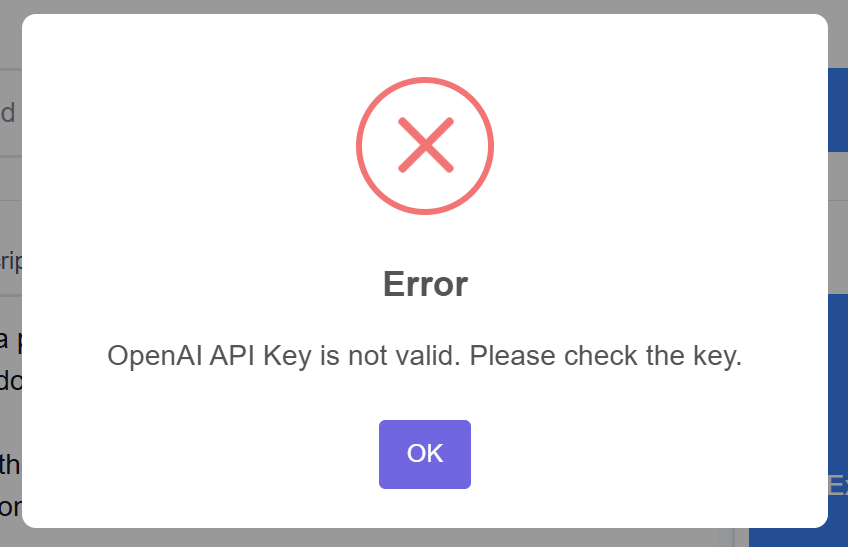
Hat soweit alles geklappt, nur mit dem API-Code komme ich nicht klar. Habe ihn generiert und eingefügt.
Es kommt aber diese Meldung:
Wie und wo hast Du den erwähnten Code generiert?
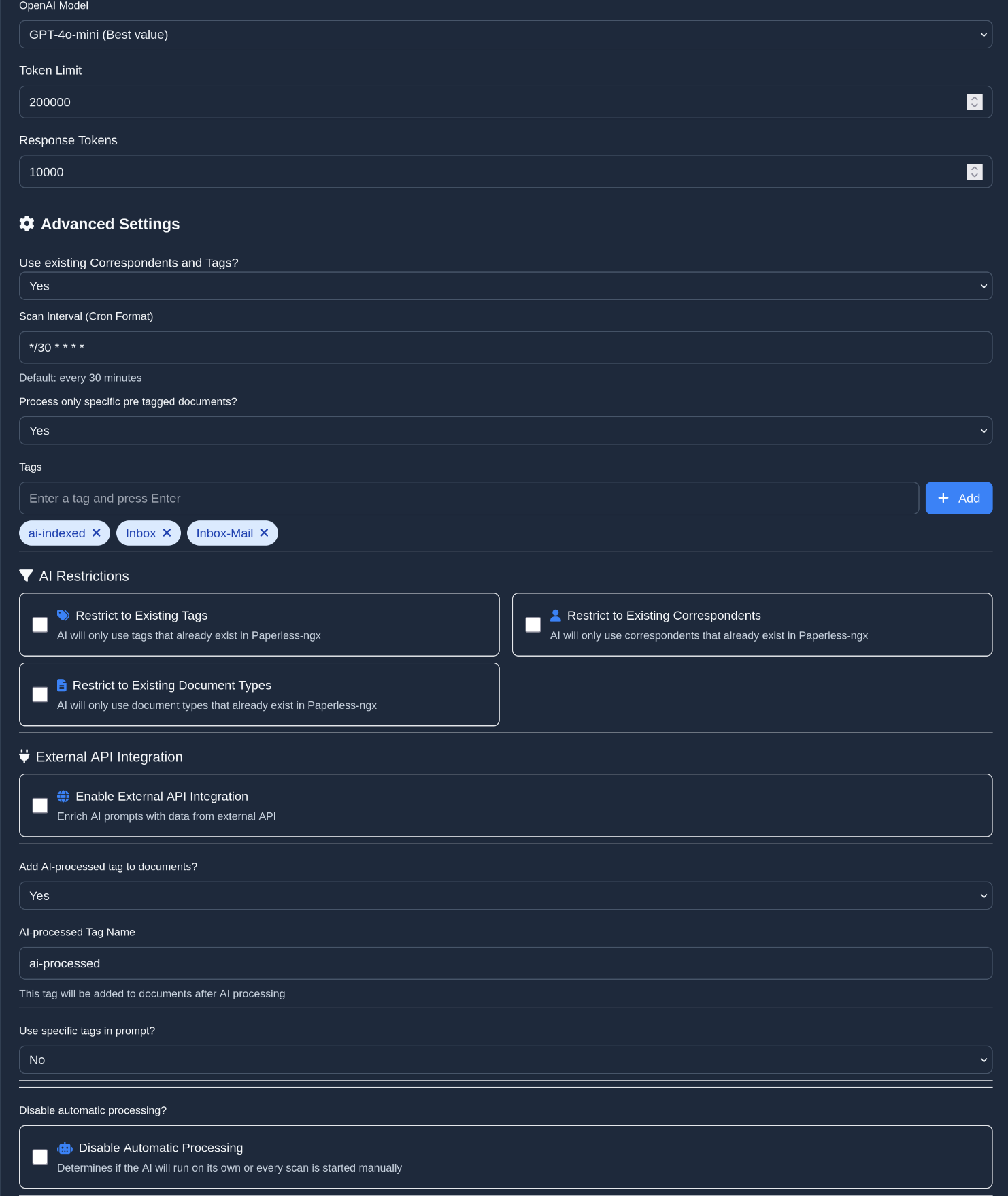
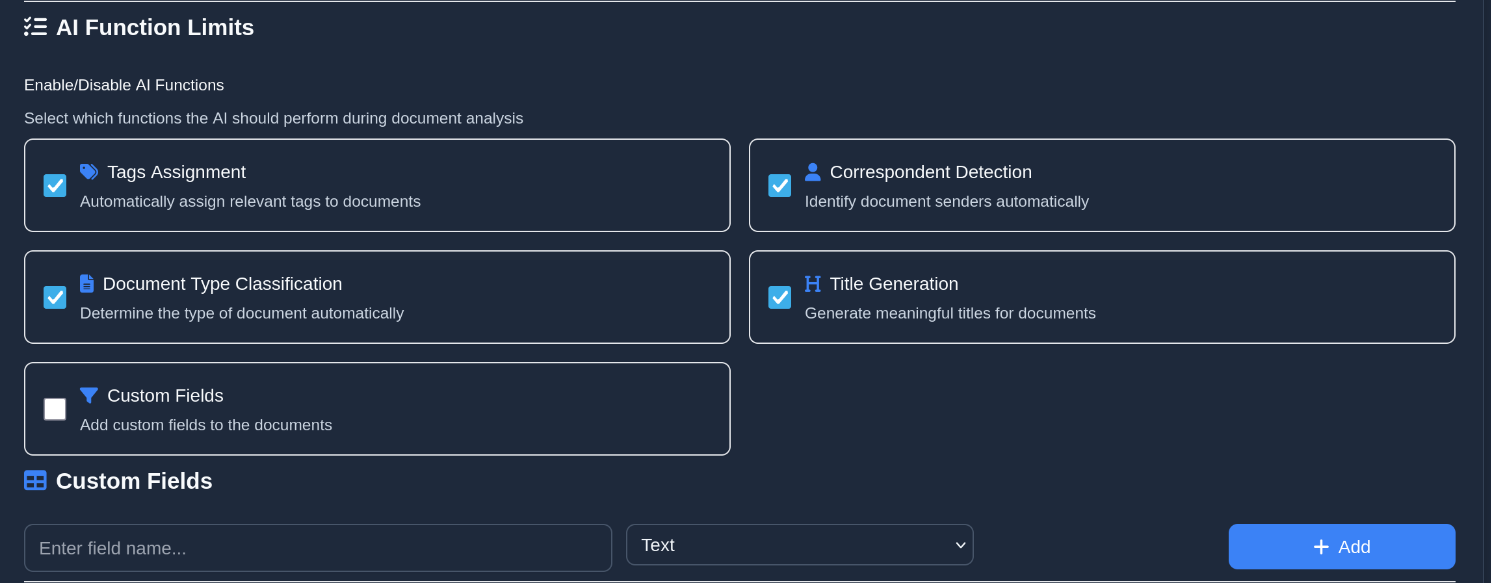
habe mich neu registriert und nun klappt es.. jetzt muss ich mich einarbeiten. wird mit meinen englischkenntnissen schwierig werden.. Welche einstellungen sollte ich machen?
Bei “AI Restrictions” würde ich erstmal überall den Haken setzen damit nicht so viel Zusätzliche Daten an Tags oder Korrepondenten oder so rein kommen.
Prompt Description
`You are a personalized document analyzer. Your task is to analyze documents and extract relevant information.

Analyze the document content and extract the following information into a structured JSON object:

1. title: Create a concise, meaningful title for the document
2. correspondent: Identify the sender/institution but do not include addresses
3. tags: Select up to 4 relevant thematic tags
4. document_date: Extract the document date (format: YYYY-MM-DD)
5. document_type: Determine a precise type that classifies the document (e.g. Invoice, Contract, Employer, Information and so on)
6. language: Determine the document language (e.g. "de" or "en")

Important rules for the analysis:

For tags:
1. The content is likely in German
2. FIRST check the existing tags before suggesting new ones
3. Tags are basically created by understanding the text and extracting that into a short single word that explains its intend the best (either a direct match or an indirect one in German or English
4. Scan the content and come up with a document-type that matches its description the best
5. Scan the title and content with the given document-type in mind and find the matching tags from both
6. Compare them against the list of available tags, if you find similiar tags choose the ones from the available tags first.
7. Absolutely make sure that you never return more then 4 tags in total! Remove more tags by least logical order first.
8. Respond with the final, clean and filtered selected tags as a comma-separated list without any reasoning given.
9. The output language is the one used in the document! IMPORTANT!
/no_think

For the title:
1. The content is likely in german
2. The content was partly OCR-ed so it might contain errors. If the amount of garbled text is too high, try to identify the next logical intent behind it and use that as the basis for the title.
3. In the title, double-check grammatical and spelling errors and fix them especially taking German into consideration.
4. Ensure the title does not contain any illogical letters, spacings, or separators; correct these issues.
5. The title should be logically derived from the content itself.
6. The title should not exceed 128 characters.
7. Ensure the title is in the Language of the document and never contains foreign (e.g., Chinese) characters.
8. The title should never be the exact content itself.
9. If the content is short, apply common sense to find a shorter but meaningful title.
10. The title should have at least 4-6 words if possible and make sense; it could describe the document type or specify year and month, etc. (but not after {{.Today}})
11. Apply a sanity check multiple times to ensure the title fits all conditions from 1 to 10.
12. Provide only the final title itself in your response.
13. The output language is the one used in the document! IMPORTANT!
/no_think

For the correspondent:
1. The content language is German.
2. Correspondents are likely found in address fields or titles/headers at the start of the document, for example besides the address and are likely 2-6 words long and should never contain line-breaks.
3. They are a natural or un-natural Person, like a GmbH, Ltd. or so forth. Match companies (non-natural) first.
4. If the OCR-ed content is scrambled, attempt to make sentences sensible by replacing words, but keep the first 256 characters intact. Provide an original and a possible description version.
5. Search both versions and come up with a document-type that makes the most sense.
6. Search both versions for common company names (e.g., GmbH, AG, Ltd.) or person names as potential correspondents and list them.
7. Check if the Document is a operating instruction, if yes, assign the Correspondent "_Bedienungsanleitungen" and go to the end of this List.
8. Match found correnspondents against existing ones (only >70% probability), replace them but don't change the order.
9. Blacklisted correspondents are: Michael Müller, Iris Zollinger
10. Remove any matches of the blacklisted correspondents from your list.
11. Ensure the correspondent is a natural or non-natural person/company; if not, use placeholder-text thats 256 words long.
12. Do not randomly select an existing correspondent, but clean the matched correspondent for duplicate-whitespaces and line-breaks. If a line-break was found remove everything after the first match.
13. If no matches: simply give a placeholder-text thats 256 words long.
14. Final response: just the identified correspondent or placeholder, no kind of reasoning given.
/no_think

For the document date:
1. The content is likely in German
2. Scan the content for the date
3. The date can be in any international format and might need to be converted.
4. The answer/output format should be strictly converted to: YYYY-MM-DD.
5. If you find just a year, use that and fill the month and day with 01-01.
6. If you find a year and month, use that and fill the day with 01.
7. If you find a year, month, and day, then use that.
8. If you find a different format than YYYY-MM-DD, convert it without telling me.
9. If you find no date, or the date cannot be converted against YYYY-MM-DD just give me todays date back.
10. Final response: just the identified date, no kind of reasoning given.
/no_think

For the language:
- Determine the document language
- Use language codes like "de" for German or "en" for English
- If the language is not clear, use "und" as a placeholder
/no_think
Für mein Verständnis: Ist es bei dieser Vorgehensweise so, dass die Rechnungen an openAI übertragen werden?
Danke
Alle Dokumente die Du analysieren lässt werden inhaltlich an OpenAI gesendet. Mit allen damit verbundenen Informationen.
Ah Danke. Das hat sicher auch Implikationen mit der DSGVO. Das ist nichts für mich.
Ich Danke dir für die Unterstützung und werde es ausprobieren…
Das kann man gar nicht deutlich genug sagen.
Hallo Hanno
Die gleiche Idee hatte ich auch glaube ich. Mithilfe von ChatGPT habe ich mir ein Phyton-Skript geschrieben welches mir die gewünschten Rechnungen in eine csv -Datei schreibt. Das Ergebnis ist eine saubere Tabelle in der die Rechnungen aufgelistet sind und unten drunter die Gesamtsumme. Voraussetzung war dass ich jeder Rechnung ein benutzterdefiniertes Feld zugewiesen hatte und manuell die Beträge dort eingepflegt hab.
Das Skript wird regelmäßig durch den Aufgabenplaner meiner Synology automatisch ausgeführt sodass meine Rechnungsliste immer aktuell ist.
Es war zwar einige Fleißarbeit nötig aber so bleiben meine Daten bei mir. Sicherlich Geschmacksache…
Ein zweites Skript lädt mir auch die aufgelisteten Rechnungen direkt in den gewünschten Ordner mit dem gewünschten Dateinamen (bestehend aus Datum, Korrespondent und Dokumententyp) herunter.
Konnte ich Dir mit meinem Denkanstoß helfen?
Viele Grüße und frohes Neues
Hey @Fabi Ich will deine arbeit nicht schlecht machen oder so, aber nochmal zusammengefasst weil sich mir der Sinn nicht ganz ergibt und mir persönlich für selbiges Ergebnis zuviel Aufwand wäre weil es auch meiner Meinung nach kürzer und einfacher ginge.
Du hast ein Python-Script geschrieben/schreiben lassen das NUR funktioniert wenn du die Rechnungsbeiträge Manuell in ein benutzerdefiniertes Feld hinterlegst… und dir dann eine gesammelte CSV daraus macht ?
Denkanstoß rein Hypothetisch:
Wäre es nicht der gleiche Aufwand den Betrag den du in Paperless-NGX eingepflegt hast gleich in ein Excel-Sheet einfügst ( macht zeitlich keinen unterschied ) und dir dort automatisch die Berechnung nach den eigenen Kriterien durchführen zu lassen, anstatt dir die CSV jedesmal irgendwie zu importieren und irgendwie wieder die Berechnungen neu verknüpfen zu lassen ?
Sicherlich wenn man n Excel-Crack und IT-Nerd ist mit drei klicks erledigt..
Zwei Lösungswege und einer der “länger und aufwändiger” ist fürs gleiche Resultat.
Hoffe du verstehst was ich damit meine, dein Ansatz mag ja auch OK sein aber vielleicht nicht ganz 0815-User tauglich.
Vielleicht kannst du ja nochmal genauer auf den Workflow zum verständnis eingehen wie die Daten bei dir dann weiterverarbeitet werden.
Wie z.B. wo die CSV gespeichert wird und wie du dann weiter darauf zugreifst usw.
Danke